


- Reception |
- Comment réserver une colocation ?
Choose a shared accommodation eligible apartment
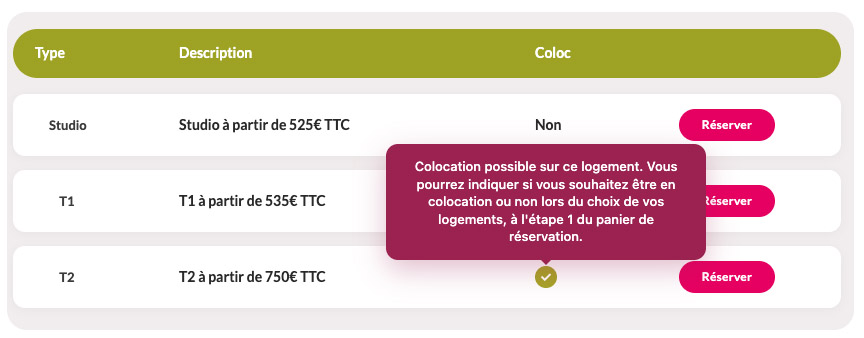
Select an apartment that offers the Shared Accommodation option.
On each residence page, a checkbox indicates whether the apartment is eligible for shared accommodation.
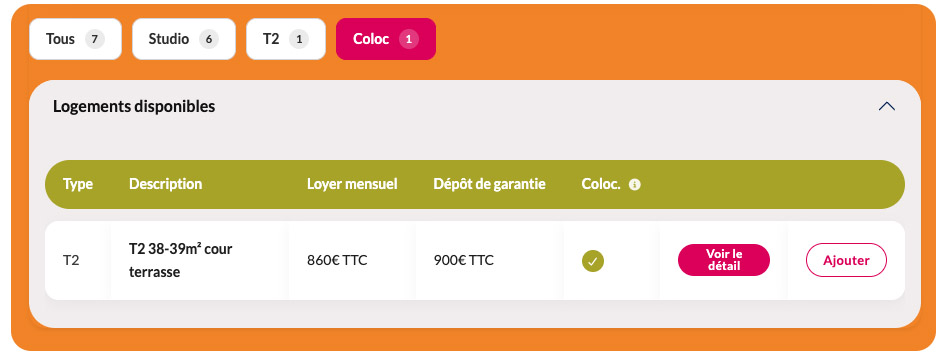
Add the apartment to your cart and select "Shared Accommodation"
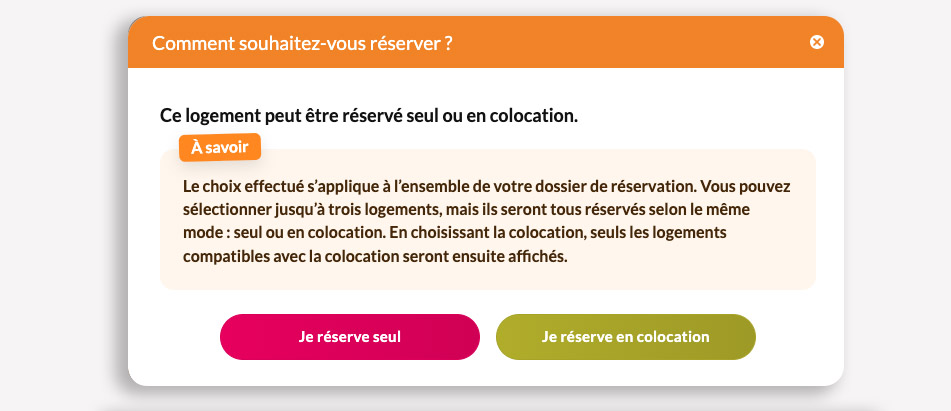
When adding the apartment to your booking cart, choose whether you would like to book it as Shared Accommodation or as an Individual Booking.
Once you click the "Add" button, a pop-up window will ask whether you would like to proceed with a Shared Accommodation booking or an Individual Booking.
Invite Your Roommate
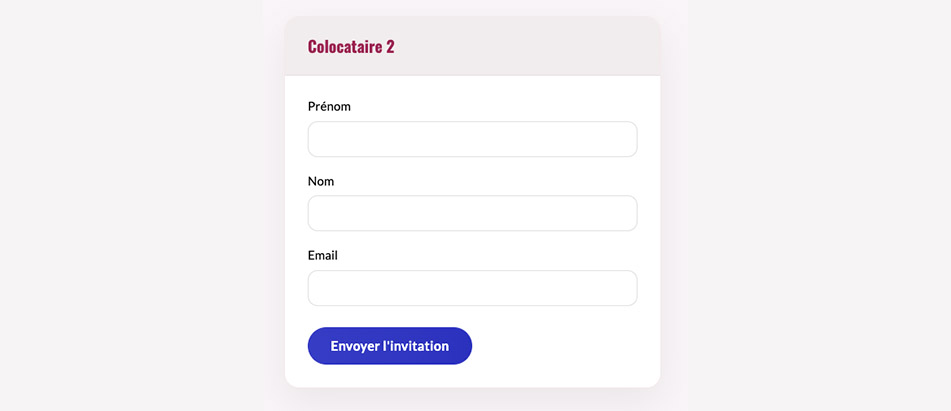
Once your deposit has been paid, you will be able to invite your future roommate to join your booking.
To send the invitation, enter the following information:
- First name
- Last name
- Email address
Your roommate will then receive an invitation by email.
We recommend informing them in advance so they can quickly:
- Accept the invitation.
- Pay their deposit.
- Complete their rental application by uploading the required supporting documents.
The documents required depend on both your situation and your guarantor's situation.
Application Review
Once both roommates have completed their applications and submitted all the required supporting documents, your application will be reviewed by our team.
You will receive a response by email within 7 business days.
Browse the profiles of students looking for a roommate on this page.
You will also find the list of apartments currently available for shared accommodation.